As “the cloud” becomes more and more prevalent in everyday life, more and more digital storage options are becoming available to consumers. One of the first major services to hit the internet, Dropbox remains an industry leader for a number of reasons: expandable free accounts, flexible paid accounts, and a fantastic suite of tools and services to take advantage of being chief among them.
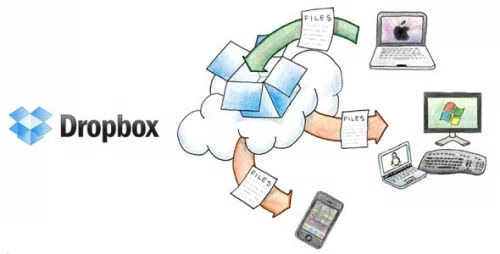
If you're thinking of using Dropbox for your storage needs (or already have an account and are looking to cheaply add more storage), we've got some great tips and tricks to maximize your free account, and save extra money on the premium options:
Use Mailbox on iOS for free space
Have an iPhone or iPad? If so, download the Mailbox e-mail client app from the App Store and sign up for an account – once it's been activated, connecting Mailbox to your Dropbox account will automatically add 1GB of space to your current package. That's enough space for 190 songs and 400 photos – an easy, free way to increase your cloud space by 33%.
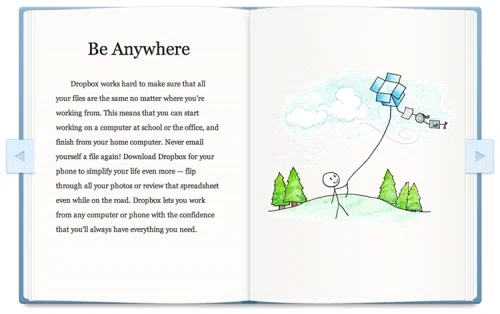
Dropbox Tour + Social Network Connections = freebies
As soon as you finish registering for a account (free or otherwise), take the digital “tour”: it will only take five minutes, and is a both a quick way to learn the ins and outs of how Dropbox works, but awards an extra 250MB of cloud storage to your existing plan. Even if you're only using the free option, it's a effortless way to add extra space (and when combined with other steps in this guide, can double your available space at absolutely no extra cost).
It's not the only way to get free space: connecting Facebook and Twitter accounts to your Dropbox account is a one-step process that won't invade your privacy or post annoying advertisements to your social feeds: but it will add another 250MB in free space if you connect them both (125MB apiece). Then, follow them on Twitter and leave feedback on their site for another 250MB – adding another 750MB in free space without having to break a sweat (or your wallet).
Use a promo code
Finding promo codes online only take a few seconds and can save you a good amount of money. Just head over to our dedicated store page and grab a Dropbox promo code; our numerous offerings include coupons for free trials, or an extra 500MB of space when registering a new account (equivalent to 25% of a free account's initial size). And our list of coupons is constantly updating: bookmark the page, and check back periodically for new offers and savings for new and existing customers.

Refer a friend and get 8x the space
We've already talked about how to instantly add free space to your account: but the real value is in referring new customers to Dropbox. After opening an account, Dropbox awards 500MB of space for up to 32 new accounts who list you as their referral, up to a total of 16GB of space. Combine this with the other ways to save on this list, and you can easily turn 2GB into almost 20, for literally no cost at all.
Yearly Billing > Monthly Billing
Like many subscription services, Dropbox offers its users the options to pay for premium plans on either a monthly or yearly basis. Unsurprisingly, paying a year at a time is the cheapest avenue, even for their cheapest 100GB plan: paying $99/year is a quick way to save $20 on a subscription (normally priced at $9.99/month when billed every 30 days). For the 200GB plan, the savings is $40 a year – and on the 500GB premium option, the yearly price is a $100 savings over the monthly price.


