The back to school season has quickly become one of the busiest times of the year for electronics retailers, and for good reason: virtually all college students use a laptop for schoolwork, and according to education website The Journal, over 70% of middle-school students use a laptop for learning-related activities.
Smartphones, tablets, and laptops are some of the most expensive things students can buy when going back to school. Considering that most of these items cost hundreds of dollars or more, it’s important to take advantage of back to school discounts wherever you can.
Of course, not all gadgets are created equal, and it’s important to know which electronics you should skimp on and which ones to invest in.
Laptops
Laptops are often considered to be the single-most important gadget when it comes to academia, and for good reason. They’re used for taking notes, writing and researching papers, organizing school assignments, and communicating with fellow students and teachers.
Determining which laptop to buy comes down to a few factors. First, you need to decide how big you want your laptop to be. Some may prefer a smaller 11.6-inch screen while others are more comfortable with a 13.3-inch or a 15.6-inch screen size.
To figure out which size is ideal for you, consider what activities you’ll most likely be doing.
If you’re constantly on-the-go, it makes more sense to go for either an 11.6-inch or a 13.3-inch laptop as they generally weigh between 2 and 4 pounds. Smaller laptops also tend to offer a higher battery life (typically 6 to 10 hours) –- something you’ll need if you’re not going to be around power outlets and need enough juice to get through your day. Smaller laptops are also great for traveling as they’re easy to lug around and you’ll have enough battery to watch two feature films.
If you’re mostly going to be writing papers at home or in your dorm room, a 15.6-inch laptop might be ideal for you since it’s likely that you’ll need to have several windows open at the same time. Further, if you need to run resource intensive programs for specialty classes, most 15.6-inch laptops feature dedicated graphics cards which allow you to run demanding programs (including video games) without a hitch.
Once you’ve figured out what size you want your laptop to be, it’s time to choose between Microsoft’s Windows and Apple’s OSX (for those dedicated enough, we’ll do a follow-up article on Linux-based operating systems).
Windows
If you’re comfortable with Windows laptops, you can take advantage of many models that often cost less than half of their Apple counterparts.
Here are the Windows laptops we recommend for back to school.
**Acer Aspire V3-111P** ($370)
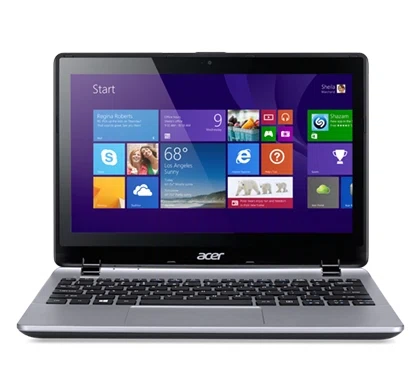
Acer’s 11.6-inch laptop is a great choice for those who are constantly on the go and need a lightweight computer. In addition to a useful touch-screen display and 6-hour battery life, the Acer Aspire V3-111P boasts a weight profile of just 3 pounds.
**Dell Latitude 13 Education** ($539)
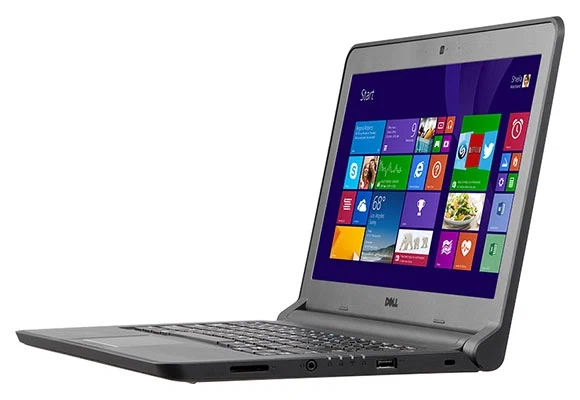
Dell has revamped its Latitude laptop line in recent years to stave off increased competition from budget notebook manufacturers like Lenovo and Acer. One of the successes to come out of this effort is Dell’s Education 13 series laptop, which features a 13-hour battery life, a spill-resistant construction, and weighs 4.4 pounds.
**Lenovo Edge 15** ($579)
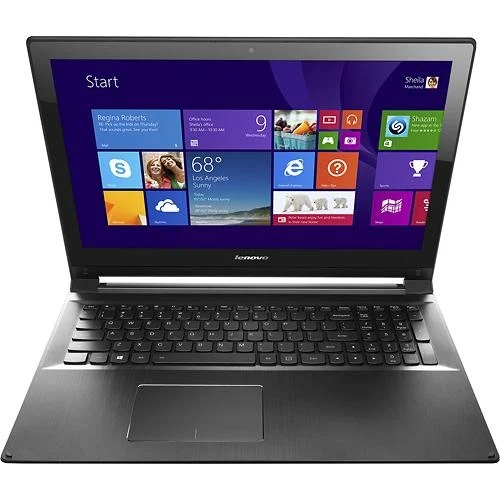
There are many things to love about the Lenovo Edge 15, including its Full HD display, aluminum construction, and loud stereo speakers. The Lenovo Edge 15 is the heaviest laptop of this selection at 5.1 pounds, but it makes up for it with a full-sized keyboard that includes a 10-key numpad and its ability to swivel around into “tablet mode”
Apple
There’s no denying that Apple is one of the most popular laptop brands when it comes to academia, and for good reason. They are intuitive to use, feature a relatively long battery life, and are built from durable, long-lasting materials. The downside to Apple’s laptops is their price point, which often exceeds that of Windows-based machines by several hundred dollars.
If you’re dead-set on being a MacBook user, we recommend the base (cheapest) models of the MacBook Air 11.6-inch, the MacBook Air 13.3-inch, and MacBook Pro 15.4 inch laptops.
Tablets
Since the arrival of the iPad in 2010, tablets have become an integral part of students’ tech arsenal. Unlike laptops, which take up more space and are harder to lug around, tablets deliver a full browsing experience and a long battery life while easily fitting into your purse or backpack.
Here are our top recommendations for tablets:
**Google Nexus 9** ($399.99)
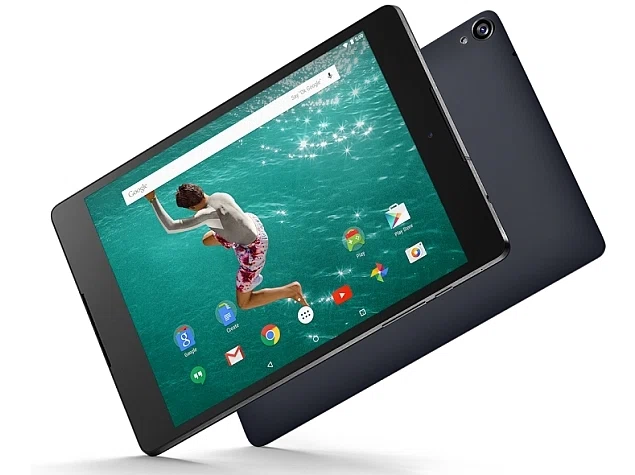
Google’s flagship tablet, the Google Nexus 9, doesn’t disappoint. It has an easy-to-hold 8.9-inch screen size, booming speakers, and a better battery life than Apple’s iPad Air 2. The Google Nexus 9 also comes with the latest Android operating system, “Lollipop,” which brings a host of new features to the device.
**Dell Venue 8 7000** ($399.99)
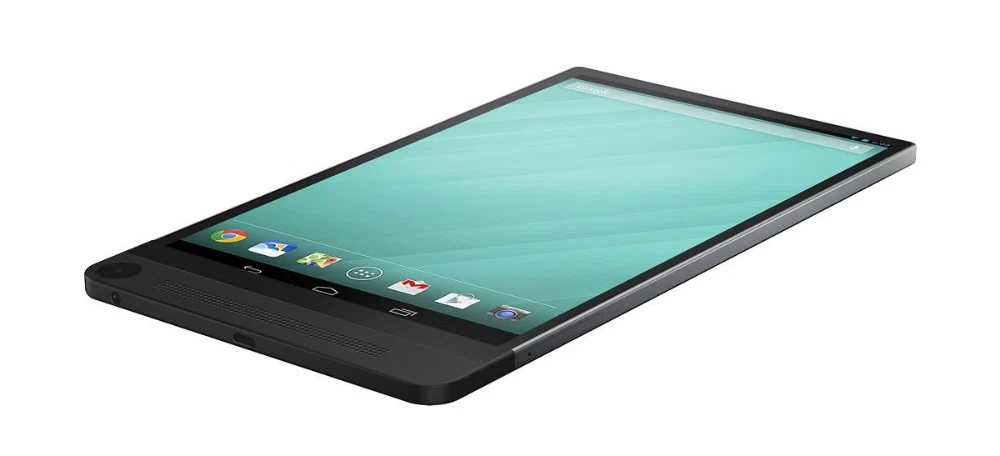
What sets the Dell Venue 8 7000 apart from its competitors is its fantastic camera, which allows you to shoot high-resolution images as well as unique 3D images. The other selling point of the Dell Venue 8 7000 is its impressive battery life, which lasts for over 12 hours.
**Apple iPad Air 2** ($499)
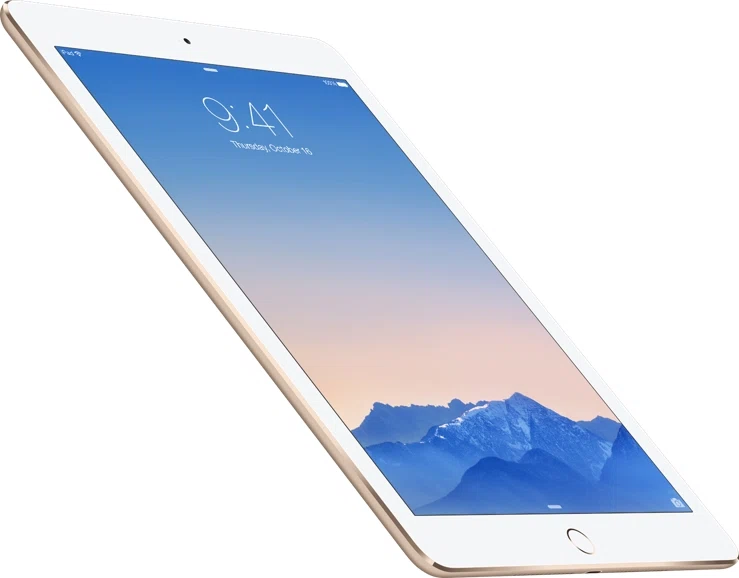
The most expensive tablet in our lineup, the iPad Air 2 makes up for its price by offering a solid aluminum construction, a high-resolution Retina display, and a 10-hour battery life. You’ll also get access to Apple’s intuitive iOS mobile platform, which many users find easier to use than Android tablets.
Data Storage
Losing a term paper or a project to a failed or corrupted hard drive is every student’s worst nightmare, and it happens more often than you think. The fact of the matter is that hard drive failure is not a question of “if” but rather “when,” and getting into the habit of backing up your data may end up saving your precious data when you need it the most.
Depending on your data needs, we recommend using a two-pronged approach to safeguarding your data: online and offline storage.
Online
Many e-mail providers like Outlook.com and Gmail.com offer free data storage, so having an account with them instantly gives you access to use several gigabytes worth of data. If you’re only going to store relatively light-weight documents like Word files and pictures, going with the free storage should be enough.
However, if you need to store larger media like video files, you may want to explore dedicated cloud storage services like Dropbox or Box, both of which offer several gigabytes of free storage to get you started and have higher tiers available should you need the extra storage.
Offline
The best bang-for-the-buck data solution for offline storage is buying an external hard drive. The price for storage has gone down significantly over the years, and you can now get a 1 terabyte external hard drive from Toshiba for as little as $60.
Other offline storage options to consider are keychain USB sticks which can store data from 16GB to 128GB and cost between $7 to $35.
Productivity Software
On their own, computers and tablets won’t be much help if you don’t have the right tools to unleash their full potential. In order to get the most out of your device, you need to download (and often purchase) productivity software that will let you write papers, take notes, and make presentations.
Here’s a list of our favorite software
**Microsoft Office Home and Student** ($114.04)
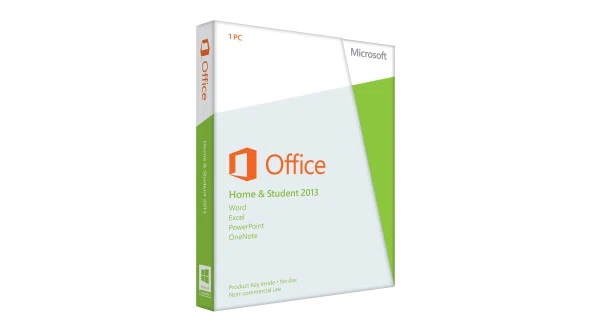
Microsoft Office has been around for decades and remains one of the most popular choices for students. In addition to Microsoft Word, which is a powerful word processor that lets you build charts, add references, and index your work, you’ll also get Excel for spreadsheets and PowerPoint that lets you make compelling presentations. Lastly, Microsoft’s OneNote lets you take and organize your notes by class and subject, which is a great way for making sure you’re always caught up with the material.
**OpenOffice** (free)

While not as flashy or intuitive as Microsoft Office, OpenOffice is a great free alternative for those who don’t want to spend $100 on producitivity software. With OpenOffice you’ll get all the programs that you would find in Microsoft Office, and you’ll also get the companion app for Android phones for free.
**Evernote** (free to $5/month)

Evernote is a powerful note-taking application that lets you take and synchronize notes across all your devices. This allows you to take pictures on your phone, draw on your tablet, and type on your computer, and all that data will show up on Evernote no matter which device you use it on.
The basic version of Evernote lets you do all of the above, but if you want to kick it up a notch you can pay for a $5 monthly fee to get extra security setings, business card scanning, and a higher upload limit for storage.
**Pocket** (free to $45/year)

Pocket is a handy app that lets you save content you find online and organize it for later reading. For instance you could find an article while on your laptop that you don’t have time to read, save it to Pocket, and then later read it on your tablet or smartphone during your commute. This is extremely useful if you’re doing research on a particular topic and want to have your study material always with you.
The Premium version lets you store permanent copies of your saved articles so you may read them even if they are deleted from the web and also lets you search through your articles for specific key words.
Where to Buy
**Best Buy:** With deals on smartphones, tablets, and laptops, Best Buy has one of the largest inventories when it comes to back to school items. Last year Best Buy offered $200 off select Apple laptops and also had several promotions on Windows laptops that took down the price to as low as $199.
**Amazon:** Each year Amazon offers a big selection on back to school electronics. Last year, one of the biggest highlights of Amazon’s back to school cataglogue were $150 Chromebooks. In addition to laptops, you may consider getting Amazon’s Kindle Fire tablet, which allows you to read e-books and watch digital content.
**Newegg:** Newegg is known for its deep discounts on electronics like laptops, monitors, and computer peripherals. Last year Newegg had promotions on hard drives, WiFi routers, and printers. Newegg also features daily deals, so be sure to check often to make sure you’ll get the most out of their back to school discounts.
**Walmart:** In addition to being a great place for school supplies, Walmart offers significant discounts on electronics like tablets, televisions, and streaming media players during back to school sales. Last year Walmart offered a full-size 15.6-inch laptop for $229.
**Target:** Target’s back to school sale is typically focused on dorm rooms, so expect to find deals on electronics like speakers, televisions, and alarm clocks as well as microwaves, coffee makers, and personal blenders. Target also offers several discounts on gadgets like tablets, laptops, and digital cameras.